
Searching Cases by Name
For County Clerk civil, probate, and misdemeanor records, head to Court Data and open Odyssey Smart Search. Anonymous public access is allowed. Type the name as Last, First Middle, whether it belongs to a party, company, attorney, or judge. Case does not matter here. One quirk: Internet Explorer will not work.
- Choose the location that matches the expected custodian.
- Enter a full name in last-name-first form, or add a careful wildcard.
- Use case type, status, filing date, or judicial officer to narrow a common name.
- Open the case number and read Hearings and Events newest first.
- If nothing appears, try the correct JP, municipal, federal, or clerk channel.
A name match alone proves little. Check the style, court, filing date, parties, and cause number before you trust any result.
Travis Odyssey Smart Search
Smart Search pairs the main name or record-number box with location choices and advanced filters. Searching by cause number? Check "County Clerk" when that office holds the case. Wildcards need at least one first-name character, three last-name characters, or four case-number characters. A pattern like Smith, J* helps with tricky spellings. Just beware: broad searches can hit the 200-result display limit.
| Field | Use | Format or limit |
|---|---|---|
| Record Number or Name | Main case or party search | Last, First Middle for names |
| Location | All, County Clerk, District Clerk, or Probate | County Clerk box is key for its cause numbers |
| Advanced Options | Party, case, judgment, and general filters | Lists are live and can change |
| File Date | Narrows the filing span | Use with court or case type |
| Judicial Officer | Narrows assigned judge | Choose only when known |
Think of the Register of Actions as an event index. It may link redacted documents, yet it is not automatically a certified case file.
Searching by Case Number
An exact cause number is the strongest key for a Travis County docket search. It sidesteps common-name confusion. The prefix often hints at the route. A felony matter carries an orientation prefix like D-1-DC. Civil District Clerk examples include D-1-GN, D-1-GV, D-1-FM, and D-1-AG. The District Attorney uses a leading C for misdemeanors.
Treat these as clues, not a code chart. Type the number exactly as displayed and let the result control. Formats for County Clerk, JP, probate, and municipal cases are not published in full. If a cause number fails in Odyssey, tick the County Clerk location box and retry. Advanced filters also let you switch to a Case Cross-Reference Number. Choose that when it is the identifier you hold.
Travis Results Have Limits
Odyssey caps the display at 200 results. Default columns cover case number, defendant, type, party name, and party type. The arrows at the top sort them. You can view no more than six columns at once. Opening a case loads just 50 events at first. Use "Show More" or "Show All" to expand, and browser Find to jump to a term you know.
That cap is a display limit, not the total number of matching Travis County court records. When the docket search cuts off, narrow it down. A filing-date range plus a known court will usually outperform another broad name.
What a Case Search Returns
A Travis County case search can show who is part of a public matter and where that matter stands. What you get back depends on the court, the age of the case, your role, and any restrictions that apply.
| Header | Cause number, case style, filing date, court, type, status, judge, and location when available. |
|---|---|
| Parties | Plaintiff, petitioner, defendant, respondent, attorneys, and roles that are public. |
| Events | Pleadings, service, motions, orders, hearings, judgments, and appeal entries. |
| Settings | Date, time, docket type, courtroom, assignment, and judicial officer. |
| Documents | Links to available redacted images, sometimes subject to login, role, or fee. |
| Disposition | A status event such as dismissal, judgment, plea, conviction, or deferred outcome. |
For the legal effect of anything on the docket, read the signed order or judgment itself. A new entry may do nothing more than reset a date, and the portal page is not a certified copy.
Travis Statewide Search Layer
re:SearchTX reaches cases, filings, document text, and hearings across integrated Texas courts. It supports keyword search, filters, case and filing detail, exports, and saved searches. System rules govern public access and document pricing. The tool went live after a tiered rollout in 2018. A later directive requires district and county clerk integration by November 1, 2025.
The District Clerk case-information page lays out the local free search. It also covers the paid route for official copies.
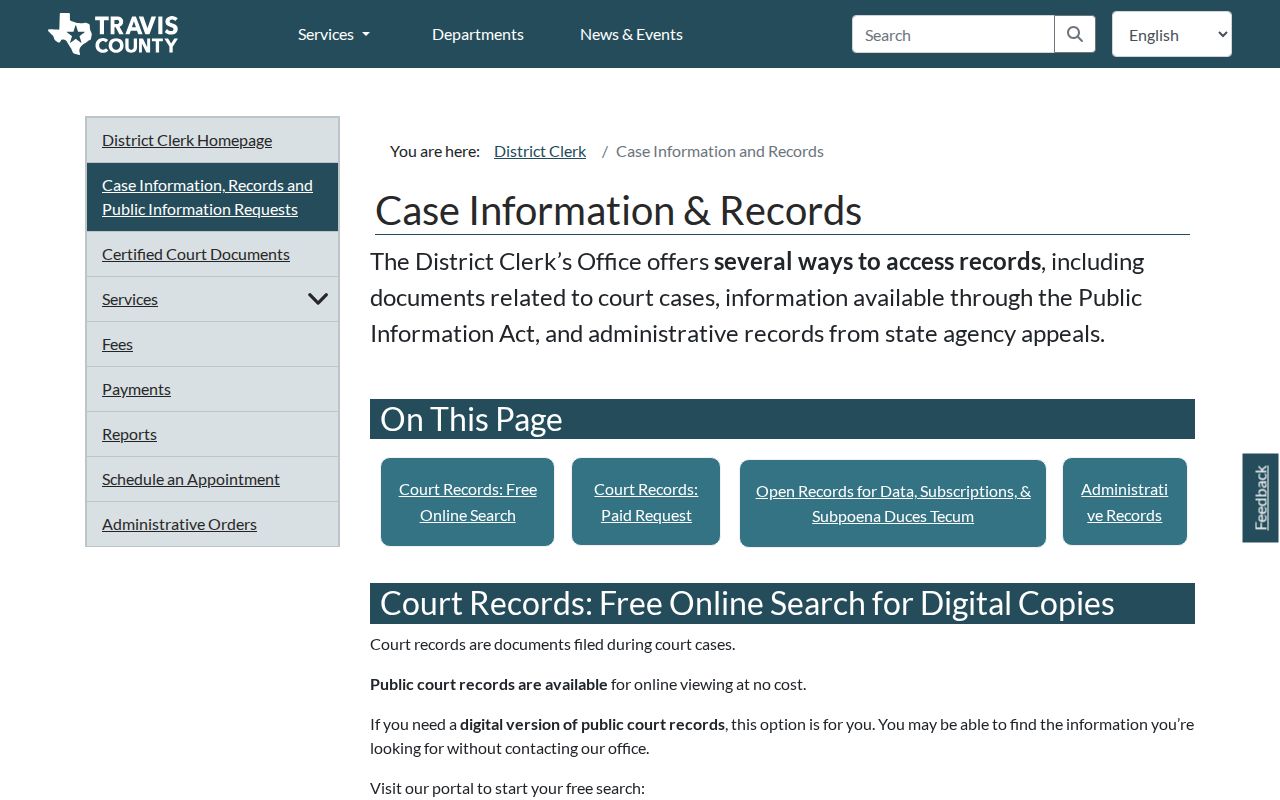
That split is worth remembering. Free case information helps you locate a matter, but formal copies come only from the clerk holding the original file.
Statewide vs County Case Search
The two systems overlap, but neither replaces correct venue routing.
| Point | Travis County Odyssey | re:SearchTX |
|---|---|---|
| Best use | Local case events and available county documents | Cross-county cases, filings, documents, and hearings |
| Location | County Clerk, District Clerk, Probate, and other local paths | Texas courts with integrated data |
| Gaps | Municipal and JP cases may use separate systems | Not proof every local criminal or city case appears |
| Official copy | Request from the responsible local clerk | Search result is not clerk certification |
The official statewide landing screen presents its account and search entry.
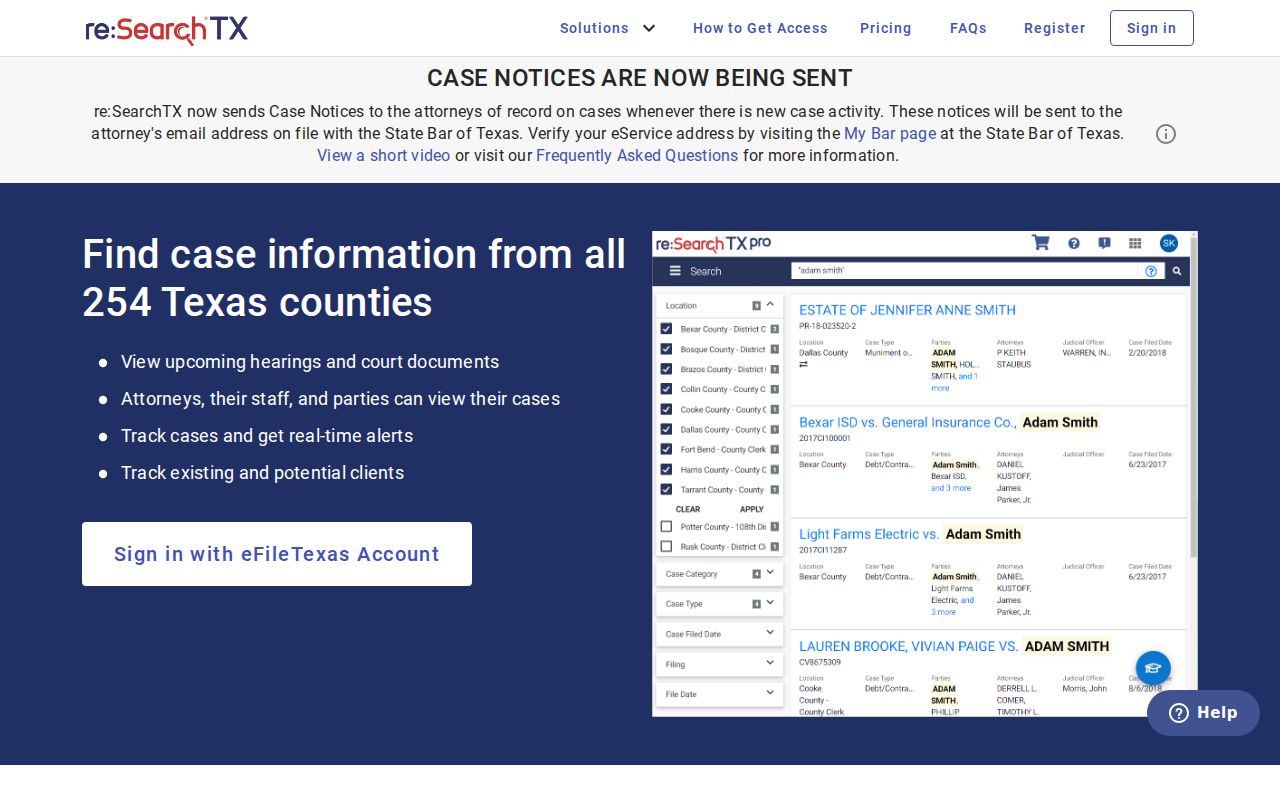
Treat re:SearchTX as a second layer. For a complete or certified record, return to the clerk where the case began.
When Travis Results Are Missing
A blank result screen does not mean no case exists. Maybe the search hit the wrong clerk. Travis County splits its docket between two offices. City or JP venues hold their own files. A misspelled name, a narrow date range, an unfiled citation, or restricted access can also hide a filing from view. Timing matters too. County Clerk case data refreshes every 24 hours. Newly filed images may take about 72 hours to appear. District Clerk online coverage starts in 2006 for civil and family matters and 2008 for criminal cases.
Older records may sit in paper or microfilm instead. The JP portal sometimes blocks anything but manual use. So try the precinct clerk, the courthouse counter, or a public terminal. Citations written by a city stay with that municipal court. Federal cases live in PACER, not Odyssey. When a known filing is missing from the event screen, the Travis County court records route is the next step.
Access and Restricted Cases
Not every Travis County court record is open to the public. A docket search will hide juvenile matters, sealed or expunged cases, protected family and adoption content, and sensitive identifiers. It may show them with redactions. Attorney and peace-officer accounts can reveal more in qualifying public cases. Registration still cannot override a sealing order or a statute. Warrant instructions in the Odyssey guide describe clearance for authorized agencies and justice partners. A general public user should not expect full warrant data. For civil cases, Texas Rule of Civil Procedure 76a supplies the core sealing process. Rule 21c addresses sensitive data. When a docket lookup comes back empty, ask the clerk which rule controls the record. An empty result is not a final answer.
A Travis County search result is a reference view. Verify the record and obtain any certified copy from the clerk or court that created it.
Travis Case Search Fallbacks
Some questions a portal just cannot answer. When that happens, go to the phone or the counter. District Clerk staff split by case type. Civil and family questions go to 512-854-9457, while criminal docket records go to 512-854-9420 option 3. The County Clerk call center answers at 512-854-9188. For a justice court case, call the precinct clerk. For a city citation, call the municipal court that issued it.
If you already know the cause number, a written request beats another broad docket search every time. Mail the District Clerk at Records Request, P.O. Box 679003, Austin, TX 78767, listing the exact cause number and the item you need. Email works too: district.civilrecords@traviscountytx.gov for civil and family, districtcriminalrecords@traviscountytx.gov for felony files. These channels reach records that never made it online.