
How to Search Civil Dockets
Two tools cover most of the ground. The TCCFC web docket pulls up civil settings by party, attorney, or case number. A date picker and docket selector add calendar views. For the wider case register, the local Odyssey system takes a name or record number. It filters by County Clerk, District Clerk, or Probate Court location and narrows results by case type, status, file date, or judicial officer.
Got a cause number from a pleading or notice? Use it exactly as printed. District civil and family cases carry prefixes like D-1-GN, D-1-GV, D-1-FM, and D-1-AG. County Clerk, JP, and probate cases follow other formats. Never assume the district pattern fits them.
- Match the case type to its court and clerk.
- Open TCCFC for a district setting or Odyssey for case events and documents.
- Search by exact case number, or enter the party name in the portal's stated order.
- Review the court, parties, filings, settings, and latest disposition entry.
- Request the judgment from its clerk when a certified copy is required.
The official TCCFC source shows the party, cause, date, and docket controls together.
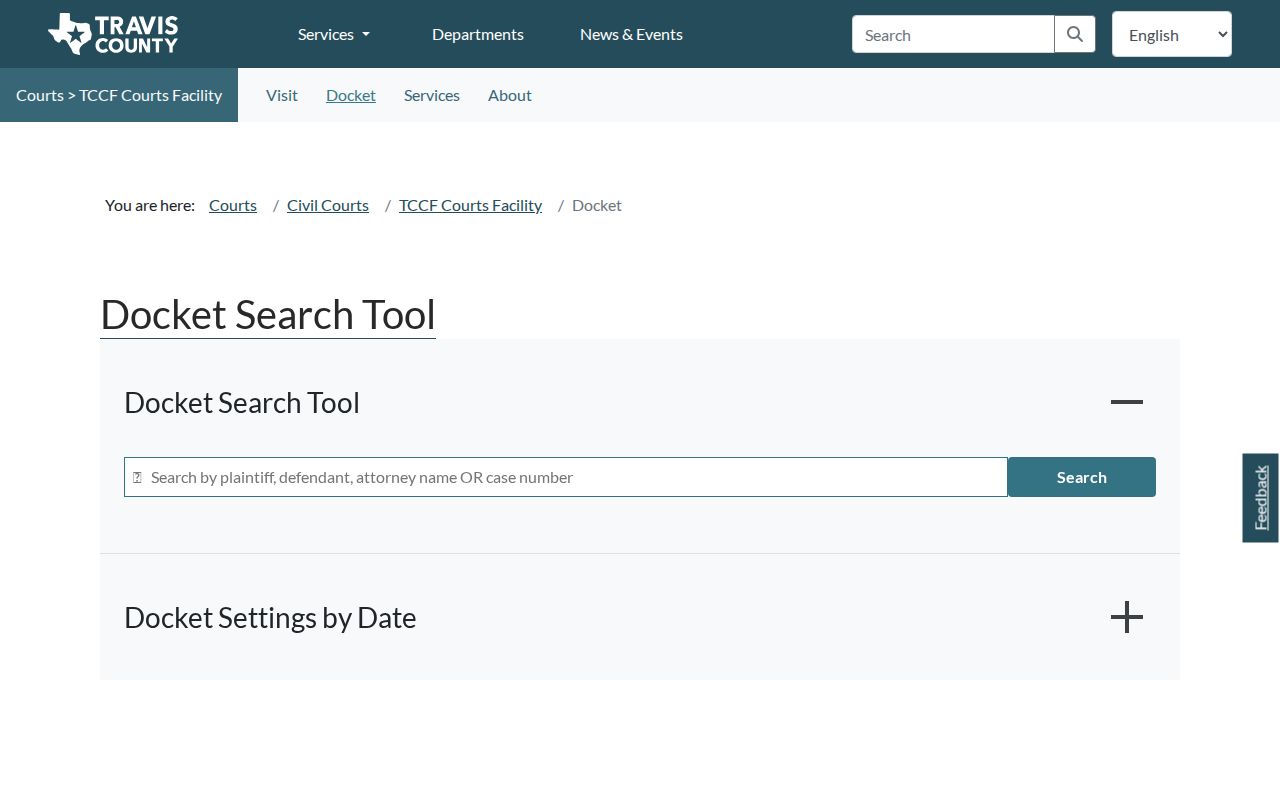
Remember that this screen is a setting tool. When you need filing history or document status, match the result against the case register.
Travis Civil Courts Split
No single Travis County office keeps every civil record. District Court civil and family files live with the District Clerk. The County Clerk holds the civil County Courts at Law. Probate records sit there too. Five JP clerks handle small claims, evictions, and similar matters. Picking the wrong court is the surest way to miss a case that exists.
| Matter | Court | Record keeper |
|---|---|---|
| Major civil and family | District Court | District Clerk |
| County civil | County Courts at Law 1-2 | County Clerk |
| Small claims and eviction | JP Precincts 1-5 | JP clerk |
| Probate and guardianship | Probate Courts 1-2 | County Clerk Probate Division |
The Civil and Family Court Facility services page spells out the clerk split and the civil service routes.
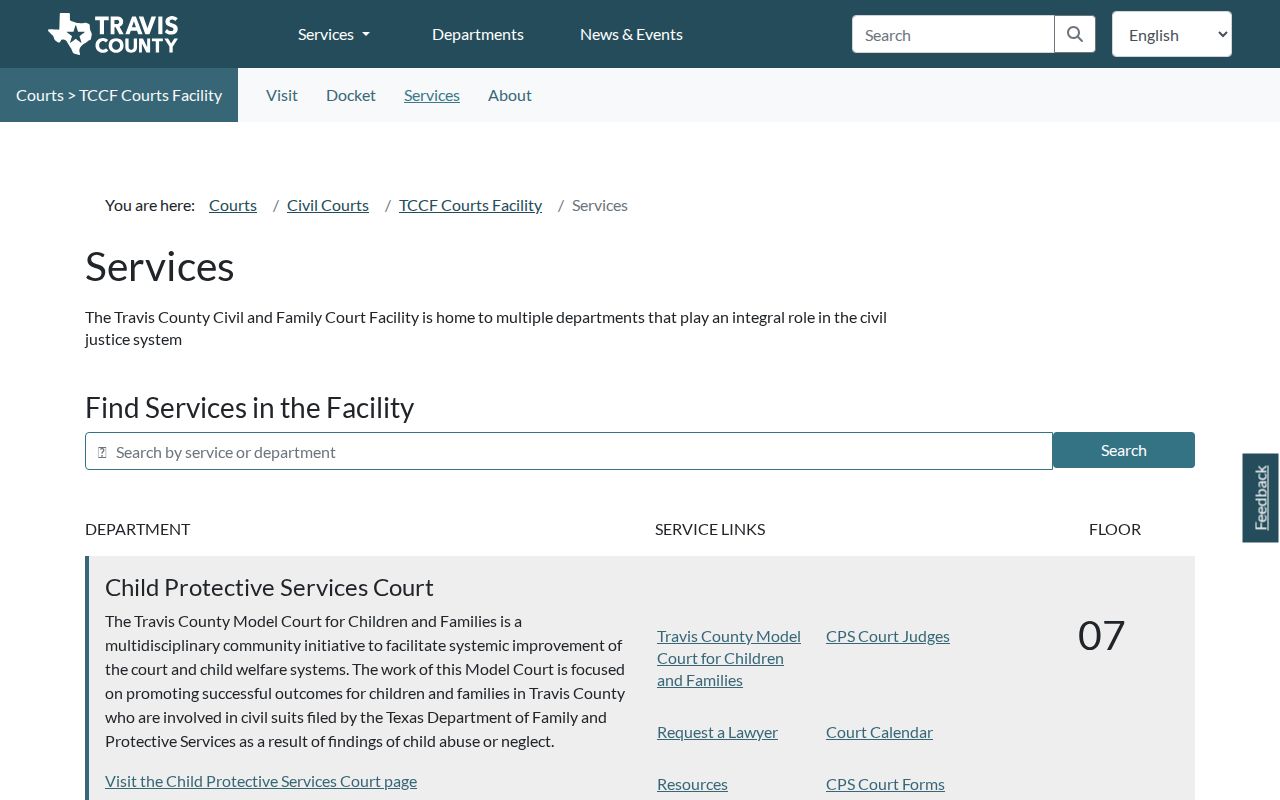
That menu explains why one civil matter can mean several stops. A court setting, a case file, and a certified record may each need a different contact.
What a Civil Docket Shows
The top of a Travis County civil docket carries the essentials: cause number, court, judge, style, filing date, case type, and status. Below it, party blocks separate plaintiff from defendant, or petitioner from respondent, and show counsel where that information is public. From there the entries march forward through pleadings, service, answers, motions, hearings, orders, trial, judgment, and any enforcement or appeal work.
| Case number | The clerk's unique cause number and local prefix. |
|---|---|
| Parties | Plaintiff, defendant, petitioner, respondent, intervenor, and attorneys. |
| Service | Citation issuance, return, waiver, or other proof that process was addressed. |
| Filings | Petition, answer, counterclaim, motion, response, and exhibits. |
| Settings | Date, time, docket type, floor, room, court, and assignment status. |
| Disposition | Judgment, nonsuit, dismissal, DWOP, transfer, or appeal event. |
Read each line with care. A filed motion is a request, nothing more, and only a signed order shows the judge granted it. Likewise, a notice of setting proves a date was set, not that anyone appeared, since a reset, submission, order, or cancellation may have taken over.
Twelve Travis Civil Courts
General civil jurisdiction in Travis County belongs to a dozen courts, listed on the Travis County Civil District Courts page. Their dockets cover civil disputes, land title, election contests, and family matters. Civil County Courts at Law 1 and 2 take bench and jury cases within their own jurisdiction.
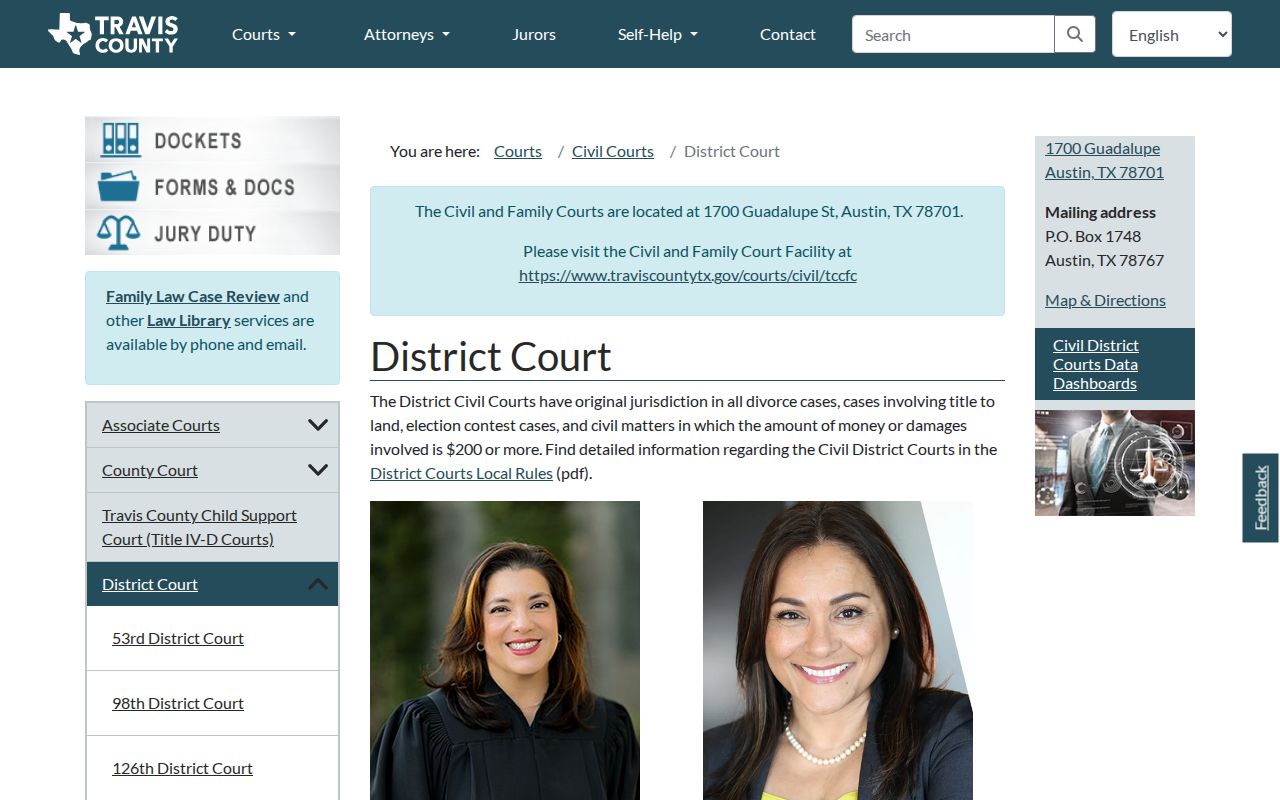
Need the court behind a docket entry? Use the roster. It links each entry to local practices and a coordinator.
District civil and family services center on the Civil and Family Court Facility. It sits at 1700 Guadalupe Street. The District Clerk's civil and family counter sits on the third floor. That office keeps District Court records. County Clerk civil files stay on the County Clerk route.
Types of Civil Cases on the Docket
Civil work in Travis County spreads across several courts with different procedures. District Court takes broad civil disputes and family cases. County Courts at Law stay within their statutory limits. The JP courts divide up small claims and evictions, while the Probate Courts run their own calendars for estates, guardianships, and related matters.
- Contract, debt, tort, and other general civil claims
- Title-to-land and property disputes within court jurisdiction
- Divorce, family, and support matters where public access permits
- Small claims and eviction cases in Justice Court
- Probate, guardianship, and related proceedings on dedicated schedules
Never treat a district civil search as proof a small claim is missing. Each of the five JP precincts has its own clerks and public-access path. Probate likewise posts separate setting forms and schedules.
Motion Filed, Order Signed
One docket line invites overreading. “Motion filed” only means a party handed in a request. The ruling appears nowhere on that line. Scroll ahead in the register for the order, hearing result, or final judgment. And “notice of setting” just puts a date on the calendar. It does not say the event happened.
- Nonsuit
- A claimant's voluntary dismissal, often without a decision on the merits.
- DWOP
- Dismissed for want of prosecution, an administrative dismissal when a case does not move forward.
- Default judgment
- A judgment entered after a party fails to respond or appear as the rules allow.
- Mandate
- The appellate court's formal direction returning the matter after appeal.
- Abstract of judgment
- A clerk-issued summary used for recording or enforcement.
The true ending of a case is the signed judgment or decree, dismissal, nonsuit, DWOP, or appellate mandate. When another case requires the outcome, get a certified clerk copy.
Settings and Hearings on Civil Dockets
A TCCFC setting result can include date, case style, and cause number. It also lists time, docket type, floor, room, assigned status, and court. Odyssey adds a Hearings and Events list. It usually sorts newest first. Check both against the notice issued in the case and the Travis County court calendar. Any conflict goes to Court Administration or the assigned coordinator.
Centralized Court Administration handles most civil District Court settings. One exception matters. The 250th District Court left centralized docketing on September 1, 2025. Confirm directly with that court rather than trusting the general civil calendar.
Setting check: A future date can coexist with an older reset or motion. Read the newest controlling notice and verify the room, court, and assignment.
Small Claims Search Fallback
Small claims and eviction dockets live with the Justice of the Peace precinct. That is not the District Clerk civil index. Travis County points searchers to the JP public-access portal. Its security gate can block some sessions. A blocked screen is not a missing record. When the portal won't cooperate, call the precinct clerk instead. Give the case number, party names, type of matter, and a rough filing or hearing date. Ask if a setting can be confirmed by phone. Ask whether an in-person terminal exists, and how to order copies. Work from the precinct printed on the citation, petition, or notice.
Probate takes a different path. The probate hearing schedules split Probate Courts 1 and 2 and cover special setting procedures. Treat estate and guardianship settings as their own docket. They are not part of a general TCCFC civil docket.
Older Travis Civil Files
Coverage for older Travis County civil dockets depends on which office holds the file. The District Clerk posts online Civil and Family records from 2006 forward. The County Clerk goes back further. It offers civil indexes from June 1986. Redacted images run from December 2005. So if a case does not turn up in a portal, the reason may be its age. It may also be which office keeps it, whether an image exists, or a document that is restricted. The case may still be there.
To pull a District Court record by mail, send the District Clerk's one-case request form to P.O. Box 679003, Austin, Texas 78767. You can also use the civil records channel. Call the civil and family line at 512-854-9457. Civil Court Administration answers at 512-854-2484, and the general civil administration line is 512-854-4646. The County Clerk civil line is 512-854-9188.
District Clerk Civil/Family
1700 Guadalupe St., third floor
Austin, TX
512-854-9457
Civil Court Administration
Setting and calendar confirmation
512-854-2484
Older paper and microfilm files may need a paid search plus an estimated copy charge. Tell the clerk exactly what tier you want: an index entry, an uncertified copy, a certified copy, or an exemplified copy. The price differs for each.
Public Access to Civil Dockets
Texas presumes civil court records are open. A court can still seal material. But only through the required process. Displays also redact sensitive data, so protected family, child, CPS, adoption, and other confidential content may be absent while basic case information stays visible. Knowing the cause number does not unlock a restricted result.
Texas Rule of Judicial Administration 12 covers judicial records that are not case records. For routine pleadings and judgments, ask the clerk who holds the file. The Texas Public Information Act can reach County Clerk administrative information. It is no substitute for the civil case-file request path.
Key Rules:
Texas Rule of Civil Procedure 76a provides the notice, hearing, and order framework for sealing court records.
Texas Rule of Civil Procedure 21c requires sensitive data to be restricted or redacted as applicable.
Texas Government Code Chapter 552 covers requests for existing public information subject to exclusions and confidentiality law.
A free print from a portal is not a certified judgment. Ask the District Clerk, County Clerk, JP clerk, or Probate Division that keeps the original civil record for certification.
Travis County Civil Service Trail
A Travis County civil docket lists citation issuance, a return of service, an answer, and a waiver as separate events. Those lines tell you where a case stands. They do not replace the filed return or order. Service and judgment are distinct steps.
Trace the case from petition through service, answer, discovery and motions, settings, judgment, and post-judgment work. A missing answer may come before a request for default. Only a signed default judgment resolves that request.
Travis County Civil Copy Choices
Decide first what you actually need. Choices include a free docket view, an ordinary copy, a certified copy, or an exemplified copy. Certification is the clerk's formal attestation, while exemplification adds another layer of authentication. Most uses need neither.
Give the clerk one cause number. Add the document title and an approximate filing date. That narrows the search and makes any fee estimate worth having. Transcripts, though, come from the court reporter, not from a portal or a routine clerk copy request.
Travis County Civil Image Timing
County Clerk Court Data can refresh case data before a newly filed image shows up. The County Clerk describes an image lag of roughly 72 hours. That lag explains why an event appears in the register. Its document will not open yet.
Wait out the stated image window first. If the item is still absent, contact the County Clerk. For a District Court filing, contact the District Clerk. Never read a missing web image as proof that the paper went unfiled.