
Traffic Court Records in Travis County
Class C traffic and ordinance cases in Travis County split by city. Austin, Pflugerville, Lakeway, Manor, Lago Vista, and Bee Cave each keep their own municipal court files. Austin's public portal covers only Austin Municipal Court matters. For county-level tickets, five Travis County Justice of the Peace precincts handle the docket. Your citation names the right court.
County Courts at Law take Class C appeals from municipal or JP courts. They also hear Class A and B misdemeanors in County Courts 3 through 9. Those files live with the County Clerk, not the original city portal. The rule is simple. Follow the venue printed on the citation. Do that unless an official notice shows an appeal or transfer.
Five Travis JP Traffic Dockets
Each Travis County justice court keeps its own traffic docket. So when the JP portal stalls, the precinct clerks are the backup. The Travis County JP traffic page gives each precinct's address, phone, judge, and current court costs.
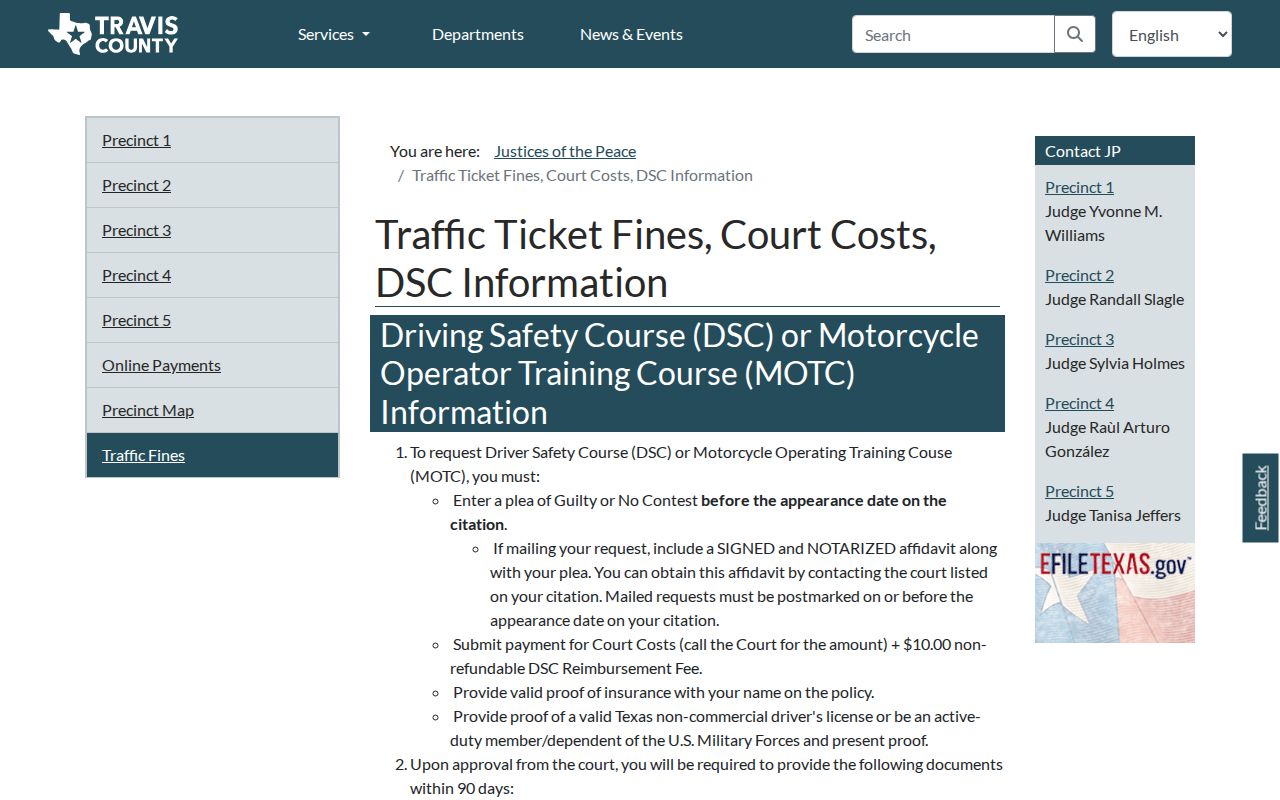
The table helps route a citation to its clerk. It does not replace the amount and response date in the actual case. Precinct 1 is 512-854-7700; Precinct 2 is 512-854-4545; Precinct 3 is 512-854-6763; Precinct 4 is 512-854-9479; and Precinct 5 is 512-854-9049.
How to Look Up a Traffic Ticket
Let the ticket itself point you to the right Travis County court. City citations often stay out of the County Clerk Odyssey system, and the statewide search is no stand-in for the court that issued the ticket.
- Read the court, citation number, name, response date, and alleged offense.
- Open the issuing municipal portal or JP public-access portal.
- Use the portal's published fields and open the matching case.
- If the citation has not been filed, follow the court's instruction to check again and call its clerk.
- Use phone, mail, or the public counter when the portal fails; use re:SearchTX only as a supplemental statewide check.
The official JP screen is a county traffic-record access point.
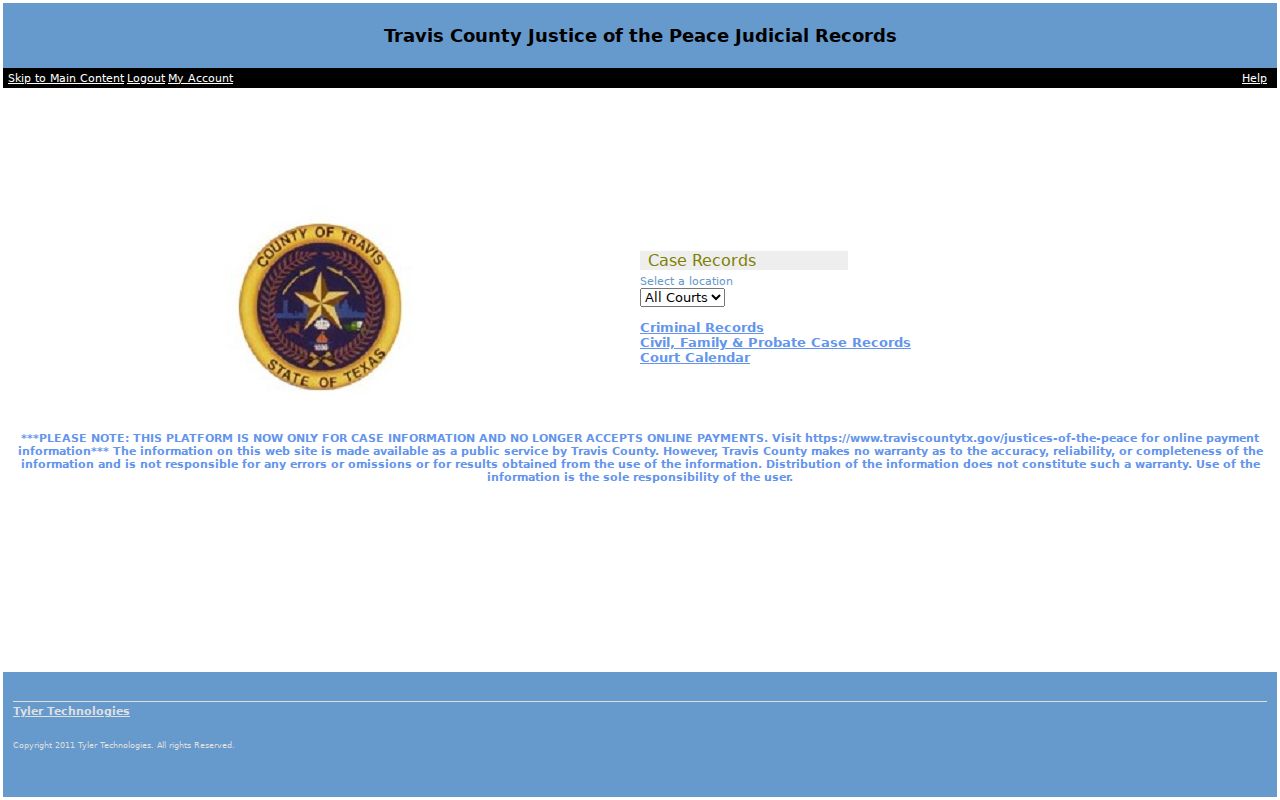
The live JP search fields can go unconfirmed, so do not guess at inputs. The citation and the precinct clerk are the dependable fallback.
Austin Traffic Search Fields
Austin's public criminal and traffic history search uses a last name plus date of birth under its published rules. The lost-citation page also accepts a driver's-license number for speeding, traffic, or criminal violations. Parking lookup works with different keys.
| Venue | Search field | Use |
|---|---|---|
| Austin Municipal | Last name and date of birth | Public criminal or traffic history |
| Austin Municipal | Driver's-license number | Alternative lost-citation lookup |
| Austin parking | Plate or VIN | Civil parking citation |
| Austin parking | Case number | Exact parking matter |
| JP portal | Live fields not verified | Use citation or precinct clerk |
The Austin case-search page covers only that municipal court. A case outside city enforcement belongs with a JP or other named venue.
Finding Your Traffic Court Date
The response date printed on the citation is your starting point. A portal date should never silently replace that notice. Search the case first, then confirm any change with the issuing court.
| Citation number | The issuing agency's identifier; enter it exactly when the local tool accepts it. |
|---|---|
| Case number | The court-assigned identifier, such as C-XXXXXXX only when displayed by that court. |
| Appearance date | The deadline or court date printed on the citation or later notice. |
| Court | The city or JP precinct responsible for the file. |
| Setting type | Pretrial, trial, show-cause, mitigation, or another local calendar. |
| Status | The current case event, which must be read beside later resets or orders. |
Want the full picture before your hearing? The Travis County court calendar walks through matching notices, registers, and coordinator confirmation so a court date checks out.
Travis City Tickets Stay Local
A city ticket may be missing from Odyssey. It can still sit in the correct municipal court and nowhere else. Austin directs users outside its enforcement scope to Travis County JPs. Others go to the relevant county court. Lakeway publishes a court page and phone path but no public search form. Manor offers a records-request form. Lago Vista links payment but excludes some case types from online payment.
This is a portal boundary, not a vanished citation. Call or visit the issuing municipal court. If the matter was appealed, ask whether the County Clerk now holds the record. The County Clerk misdemeanor search covers Travis Class A and B cases. It also covers Class C appeals from municipal or JP court. It does not cover every original city or JP matter.
Paying or Contesting a Ticket
Use the response date and instructions from the specific court. Paying often enters a guilty or no-contest disposition. Contesting means a not-guilty plea and a later setting. Court approval controls deferral and driving-safety options.
| Choice | Typical action | Record effect |
|---|---|---|
| Pay | Use an approved online, phone, mail, or counter channel | May enter judgment and close the court case |
| Contest | Submit the plea or appear as the court directs | Creates a pretrial or trial setting |
| Deferred disposition | Request court approval and meet set conditions | Shows supervision and later compliance outcome |
| Driving safety course | Apply by the deadline and prove eligibility | Outcome depends on completion and the order |
Do not ignore the appearance date. A missed response can lead to added costs, collections, a warrant process, or a renewal hold, depending on the court and law.
Austin accepts qualifying payments online, by phone at 512-974-4800, by mail, in person, at a drop box, or through Western Union. Do not mail cash.
Travis Compliance Dismissal Paths
Lago Vista publishes specific proof and fee examples. A change-of-address issue or expired license may be dismissed with proof and $20. Expired registration calls for proof, a late-registration penalty receipt, and $20. Defective equipment may use an inspection, photo, or invoice with a $10 amount. The court decides whether all conditions are met.
Do not copy these amounts to Austin, another city, or a JP case. Each venue controls its own process. Defensive driving and deferred disposition eligibility are court-specific too. Apply through the court before its deadline. Paying first can produce a disposition and remove an option that required advance approval.
Court Traffic Record vs Driver Record
Two custodians maintain two different files. The court record is the focus here.
| Point | Court traffic record | Texas driver record |
|---|---|---|
| Custodian | Municipal or JP clerk, or County Clerk after appeal | Texas Department of Public Safety |
| Contents | Citation, plea, dates, proof, orders, judgment, payment, deferral, and FTA events | Licensing and conviction-report information received under state rules |
| Request | Issuing court or appeal clerk | DPS |
One DPS report does not make the two files one. Ask the Travis County court for the case file and DPS separately for the state driver record.
Failure to Appear in Travis
Skip your response date in Travis County and a failure-to-appear process can begin. What happens next varies by court and case. Austin warns that delinquent cases may be sent to collections. A juvenile or minor can be denied a license renewal. Lago Vista lists a DPS suspension for certain failure-to-maintain-financial-responsibility convictions. The risk grows with prior convictions. Call the court named on your ticket. Ask for the case status, the amount owed, and the next setting. Texas repealed its old driver responsibility surcharge program. Do not treat it as a way to pay today. Any warrant, hold, or collection entry should be confirmed with the court that keeps the traffic record. Never guess it from a docket line.
Fees and Copies
Traffic amounts hinge on the offense and the venue. Figures on the Travis JP schedule are only examples. It lists $188 for failure to change a license address. But the citation and the court control the real total. A County Clerk misdemeanor file shows $147 in state consolidated costs plus $123 in local costs, with a separate $50 state traffic fee where it applies. Other costs can still show up.
| Item | Published amount or rule |
|---|---|
| Clerk paper copy | Generally $1 per page |
| Certification | $5 per document plus copying |
| County self-service copy | $0.20 per page |
| Lago Vista speeding, 1 to 10 over | $50 base plus $134 costs, $184 total |
| Lago Vista speeding, 25 or more over | $200 base plus $134 costs, $334 total |
| Lago Vista card payment | 3 percent city fee |
Get a current total from the issuing court before you pay or order a certified copy. A portal figure can shift once a new event or authorized cost lands on the docket.
Travis Traffic Record Contents
A Travis County traffic court record can carry a lot of detail. Expect the citation, the charge, the issuing court, the plea, appearance dates, later settings, proof of compliance, motions, signed orders, disposition, judgment, payment, deferred terms, dismissal, and failure-to-appear events. Always read the newest entry alongside the signed order. A payment screen is not the whole case record. When you request a copy, give the citation or case number. Name the exact item you need. Ask whether an unofficial print will do or whether the clerk must certify it. Older files, or ones on appeal, may take a manual search. Some protected or excluded case types never show in an online payment tool. Even then, the clerk still holds the record.