
The Travis County Court Calendar
Travis County posts no master calendar covering every venue. Each group of courts runs its own. The Criminal Courts offer a Docket Search for felony and misdemeanor settings. Civil District Court dates come from the Civil and Family Court Facility web docket and Court Administration. Probate Courts publish separate schedules. Five Justice of the Peace courts and every municipal court calendar their own cases.
Before any docket search, read the citation, bond, pleading, or notice to learn your court. A District Court felony date does not surface the way an Austin traffic date does. County Courts at Law 3 through 9 hear Class A and B misdemeanors. Municipal and JP courts generally keep Class C matters. An appeal moves the case elsewhere. Trust the newest notice when screens disagree.
Travis Criminal Docket Search
The Criminal Docket Search accepts several search keys. Try the arrested person's name, attorney name or State Bar number, judge or court number, or case number. Felony and misdemeanor settings both show up. The tool also links reports sorted by attorney and arrested person, plus schedules that separate jury weeks from non-jury weeks.
The county's own page shows the calendar search itself.
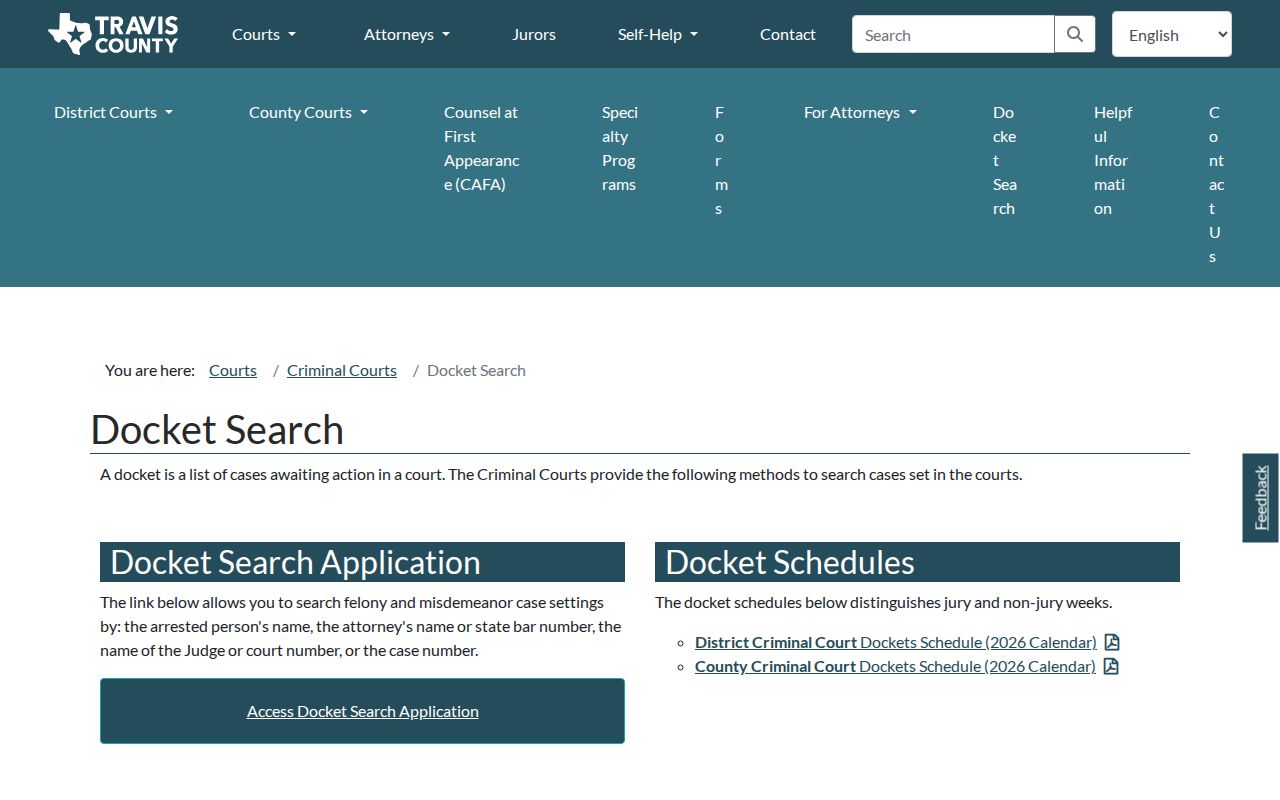
Use this view to find a setting. Then compare it with the District Clerk's Register of Actions in case a reset happened. A PDF docket makes a handy daily list. It may lag behind a change entered after the report was built.
How to Find Your Court Date
Start with the notice already issued. Then use that court's own channel. A Travis County court date search should not leap from a city citation to a county portal without checking venue.
- Read the citation, bond, or latest notice and note the cause number, court, and date.
- Search Odyssey, Criminal Docket Search, TCCFC, or the relevant probate, JP, or municipal calendar.
- Open the case and read the newest setting, including time, room, court, judge, and type.
- If no result appears, call the clerk or coordinator, visit the counter or public terminal, or request a written record.
- Confirm a conflict with counsel or the assigned coordinator before relying on a portal date.
Statewide coverage has gaps. The re:SearchTX hearing search adds detail where Travis County data flows in, but it cannot confirm that every criminal, JP, or municipal setting is present.
Travis Civil Date Selectors
The TCCFC web docket searches by plaintiff, defendant, attorney, or cause number. A date picker and docket selector sit alongside it. Results can show the date, style, cause number, time, docket type, floor, room, assignment status, court, and division. Read the fields together. That way a firm room assignment stands apart from a simple calendar slot. The official TCCFC docket page shows these local controls.
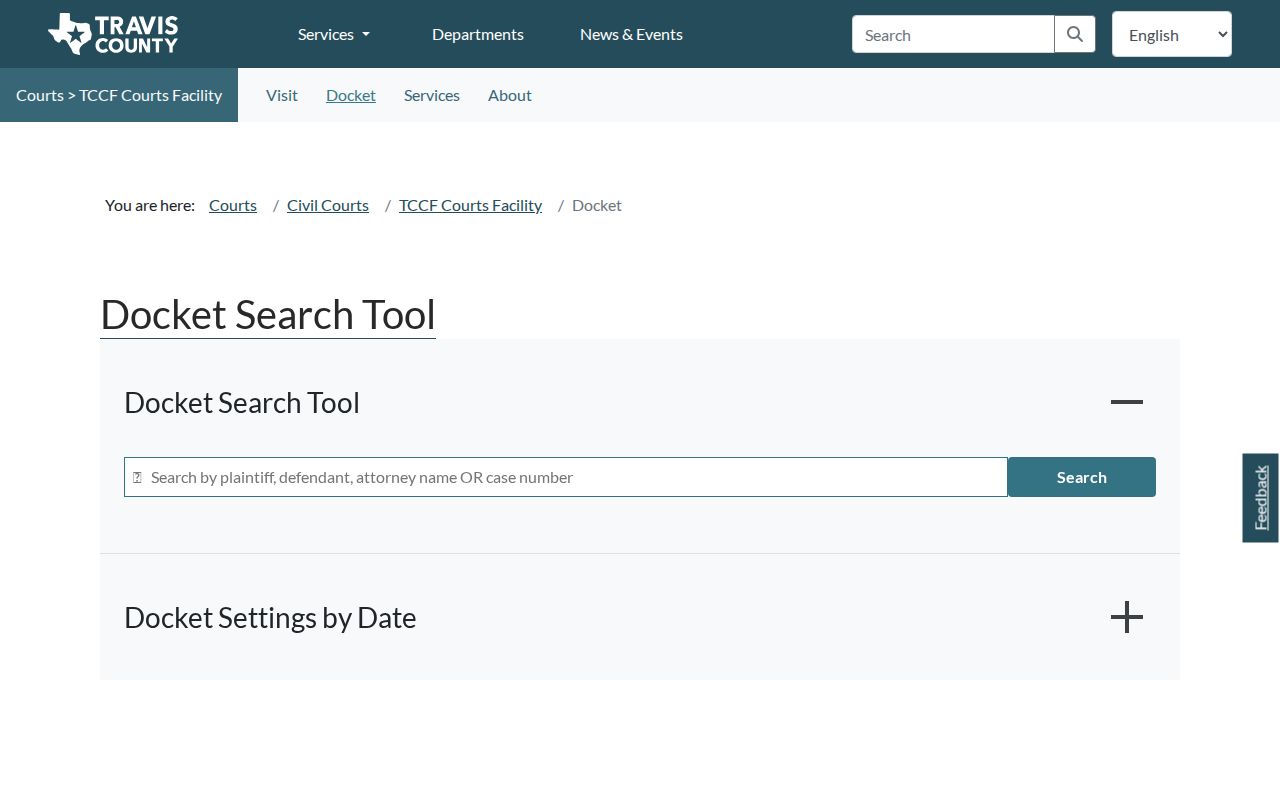
The result count shows settings in view. A missing District Court matter deserves a call to Civil Court Administration. Most district hearings and trials are set there, though specially assigned cases may follow one court's own rules.
Reading a Travis County Setting
A setting line is a schedule record. It is not a ruling, so read every field with the newest event in the case register.
| Date | The planned day, subject to a reset, closure, or court order. |
|---|---|
| Time | The call or hearing time, which may apply to a group calendar. |
| Courtroom | The building, floor, and room when assigned. |
| Judge | The judicial officer or court assigned when the calendar was posted. |
| Setting Type | Arraignment, pretrial, motion hearing, docket call, trial, sentencing, review, or another local calendar. |
A later hearing entry still may not end the case. Find the signed order or judgment first.
Travis Probate Calendar Paths
The probate schedule covers Probate Courts 1 and 2. Setting requests use separate regular, uncontested heirship, and uncontested guardianship forms. A contested heirship, or one with unusual facts, goes on the regular docket. Accounts use the Probate Auditors, not this form.
- Regular docket
- The track for a contested matter or one that does not meet an uncontested path.
- Uncontested heirship
- A separate calendar only when no contest or unusual circumstance exists.
- Sales docket
- A probate-specific setting for a sale matter.
- Review hearing
- A later check on compliance, guardianship, treatment, or another continuing order.
Probate Court 1's coordinator can be reached at 512-854-9258. For Court 2, call the coordinator at 512-854-5512, and either office will confirm the right track and current date.
Resets, Continuances, and Cancellations
A reset or continuance moves a setting. Odyssey lists Hearings and Events newest first, so scan for a later entry labeled reset, continued, passed, or new setting, or a signed order. Old dates linger too. County or city closure notices can also cancel a calendar. No single weather feed controls all Travis County courts.
Criminal District Court pages list reset contacts. Each request goes to that court's coordinator. Many civil settings run through the court administrator, though specially assigned cases may follow individual instructions. After a closure, use the assigned court's office. Never assume one countywide notice reached each city or JP docket.
Note: A moved setting is current only when the register, a new notice, or the responsible coordinator confirms its replacement date.
Travis 250th Calendar Change
The 250th District Court stopped joining Travis County's centralized docketing system on September 1, 2025. A case there needs that court's own instructions. Civil Court Administration at 512-854-2484 still handles other central calendar questions.
A missing central result is not the final word. Search the case register, read the court assignment, and use the assigned court's process. The Travis County case search can identify the court. It also shows the case's newest events before a call. Keep the confirmation date and the office you contacted when an old entry remains visible. That paper trail pays off later.
Travis Setting Types in Context
The labels on a Travis County court calendar describe what a setting is for, not what it decided. A docket call checks whether the parties are ready. Counsel, motions, and trial plans may come up there. No judgment comes out of it. A motion hearing is just argument on a request. Until the judge signs an order, the request has not been granted.
Jury and non-jury weeks mark how the calendar is organized. A case listed there may not actually begin trial that day. A dismissal docket only flags matters for possible action. The docket itself does not prove a dismissal was ever signed. In a TCCFC result, assignment status can tell you whether a room or court is set. Sentencing comes after a disposition, while a review hearing checks whether a standing order is being followed. Read every term next to the full event trail.
Missed Travis County Court Settings
Missed a Travis County court setting? Act fast. If you have a lawyer, call that office first; otherwise, contact the clerk or coordinator listed on the notice and ask whether the court set a new date or issued an order. Going to a different county office just because its counter is open will not help.
Missed a setting? A missed criminal or traffic appearance can lead to a failure-to-appear process, warrant, added cost, or bond action.
Use the assigned court's official contact and obtain the current setting before taking the next step.
A licensed attorney can advise how to address a missed Travis County date and any order already entered.
Civil and probate matters work a bit differently, yet waiting still carries risk to your rights or relief. Look for a signed order in the Travis County case file, then do exactly what that order directs for your cause.